
First, we will need to create accounts on Framer and Formsparks.io.
Within Framer, there is a custom code section where you can add React code. This code should include information from Formsparks.io that allows you to upload data to the Formsparks system. Through this system, you can access the data or forward emails with the details to another user’s email.
However, we can take things a step further by integrating Formsparks.io with HubSpot. This integration allows the creation of new contacts in HubSpot, enabling the Sales Team to track any new leads effectively.
Step 1 – Create a Sign Up Form
You can use framer to create layouts easily and form inputs.

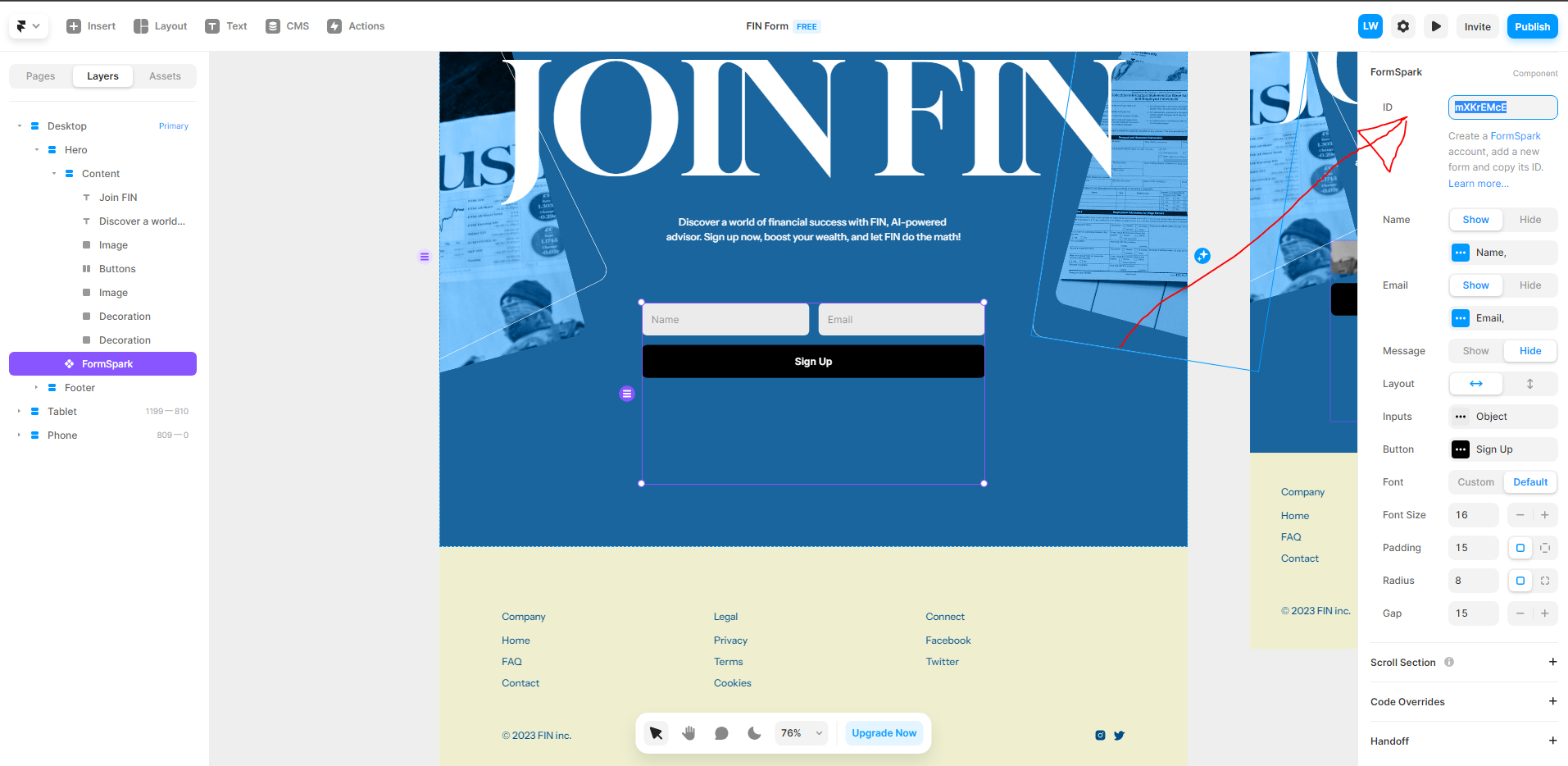
Next, you need to create a Formspark form component. Click on ‘Insert+’ located on the left-hand side, and then select ‘Forms.’ There, you should see the Formspark option.

Step 2 – Sign Up for Formsparks.io
We need a formsparks.io account to access the formsparks.io component to be inserted into our Framer Application.

you are going create form on the left hand side of formsparks application

This form should appear you, select React

Here on the this form settings page you need to pass a webhook?
Take your formsparks.io ID

Then go back to framer copy and paste the ID in the upper right where it says ID

Then after you put the ID click publish on framer
Go to your deployed URL it should show up in right side on top.

Fill out the form, and click Sign Up

it works!

Go back to your formsparks.io dashboard and the data is there!
